

















This guide is for educational purposes only. We do not provide financial advice. Always do your own research (DYOR) before managing cryptocurrency. Information is accurate as of February 2026.
Telegram has quietly become one of the biggest on-ramps to crypto. Over 150 million people have already signed up for Wallet in Telegram, and most of them did it without realizing they were creating a crypto account. Maybe you tapped through a Hamster Kombat airdrop prompt, or a friend sent you a few USDT, or you just noticed that wallet icon sitting in the Telegram menu. Either way, you now have access to a full crypto wallet baked into the app you already use every day.
But here is the thing that trips people up: there is not just one wallet in Telegram. There are actually two — a custodial one and a self-custodial one — and they live right next to each other inside the same interface. On top of that, standalone wallets like Tonkeeper and MyTonWallet offer features you cannot get inside Telegram at all.
This guide shows you how to create a TON wallet in Telegram from scratch, compare all major options, and keep your funds secure. We will set up each wallet step by step, compare them honestly, cover the brand-new cross-chain deposit feature that launched in February 2026, and get into the security practices that actually matter when real money is on the line. If you have read our introduction to the TON blockchain, you already have the background. If not, that is fine — we will cover everything you need right here.
What Is a TON Wallet and Why You Need One
TON wallets explained in plain language
A wallet does not actually "store" your crypto. Your Toncoin, USDT, NFTs — all of that lives on the TON blockchain regardless of which wallet you use. What a wallet stores is the private key that proves you own those assets. Think of it like your house key: the house exists whether you have the key or not, but without the key, you cannot get inside.
For Telegram's over 1 billion monthly active users, a TON wallet unlocks a layer of the app that is invisible without one. Mini apps, in-chat payments, DeFi, airdrops, staking — none of it works until you have a wallet connected. And with TON transaction fees averaging around $0.008 per transfer (yes, less than a penny), the cost barrier is essentially zero.
Custodial vs self-custodial wallets: the key difference
A custodial wallet stores your private keys on a third party's servers — convenient but you trust them with your funds. A self-custodial wallet gives you sole control of your keys via a 24-word seed phrase — you are your own bank.
A custodial wallet is like a bank account. Someone else (in this case, Telegram's wallet operator) holds your private keys for you. You log in with your Telegram account, and they handle the security, the backups, everything. Convenient? Absolutely. But if that company gets hacked, shut down, or decides to freeze your account, your funds go with it. The crypto world has a saying for this: "Not your keys, not your coins."
A self-custodial wallet is like a safe in your house. You get a 24-word seed phrase (basically a master password generated from the BIP-39 standard), and that phrase is the only way to access your funds. No one else has it — not Telegram, not the wallet developer, not us. Lose it, and your money is gone forever. Keep it safe, and no one on earth can touch your assets without your permission.
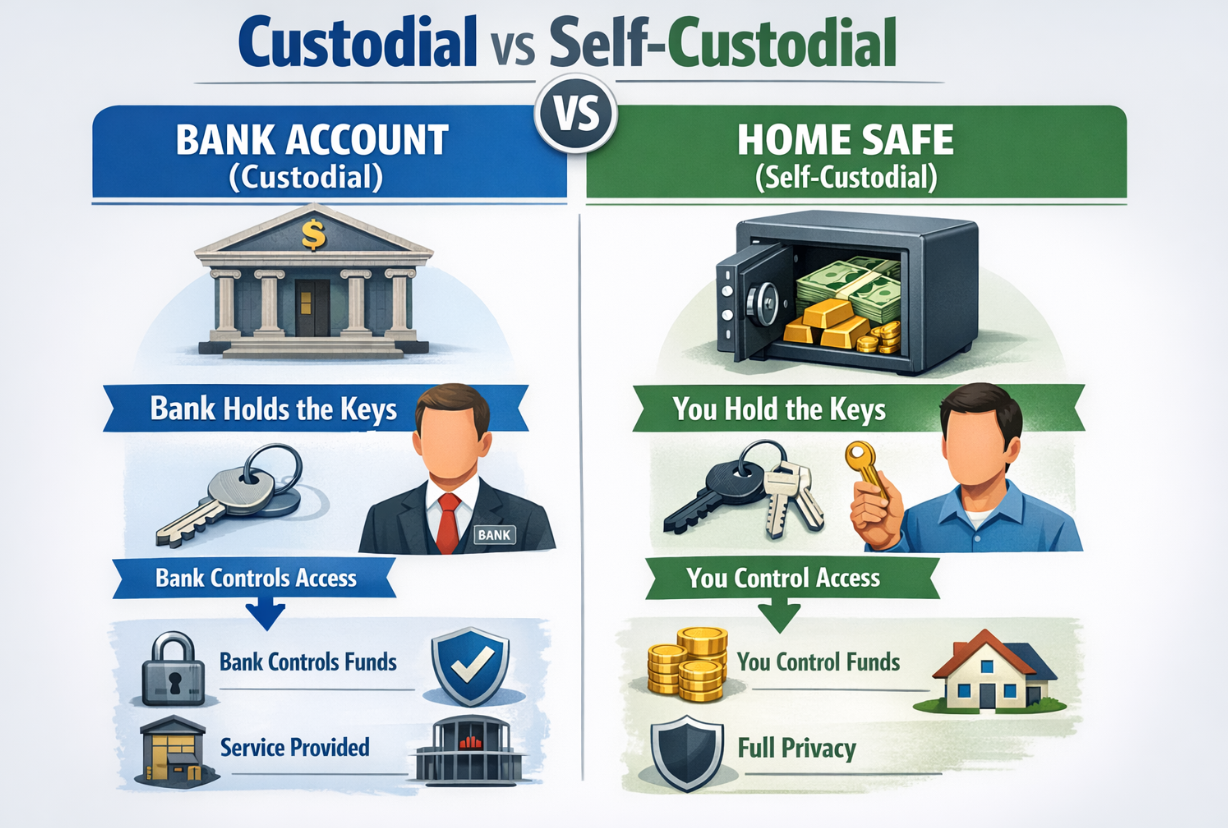
Neither option is universally "better." Beginners who want to experiment with small amounts? Custodial is fine. Anyone holding more than they would be comfortable losing? Self-custodial is the only responsible choice.
The 4 Main TON Wallet Options Compared
@Wallet: The Built-in Telegram Wallet (Custodial)
This is where most people start, and for good reason. Open Telegram, tap the wallet icon, and you are done. No app to download, no seed phrase to write down, no registration beyond your existing Telegram account. The Crypto Wallet side (operated by TG Wallet Inc out of Panama) supports TON, BTC, ETH, USDT, tokenized gold, and even tokenized US stocks via xStocks.
The big draw is frictionlessness. You can buy crypto with a bank card, use the P2P marketplace to trade with other users, and send USDT to any Telegram contact with zero fees between Wallet in Telegram users. For someone who has never touched crypto before, this is the smoothest possible entry point.
The trade-off is control. Telegram's operator holds your keys. If their service goes down or your Telegram account is compromised, you could lose access to your funds. For small amounts and casual use, that trade-off is reasonable. For anything serious, keep reading.
TON Wallet: Self-Custodial Wallet in Telegram
Here is where it gets interesting, and where a lot of users get confused. Inside the same @Wallet interface, there is a second wallet called TON Wallet (previously known as TON Space until July 2025). This one is self-custodial. You generate a 24-word seed phrase, you control the keys, and your wallet lives on the TON blockchain — not inside Telegram's servers.
TON Wallet (operated by TON Space Ltd, based in Seychelles) connects to TON dApps via TON Connect, supports the full range of TON-based assets (Jettons, NFTs, stablecoins), and — as of February 11, 2026 — offers cross-chain deposits from seven different blockchains. More on that in a dedicated section below, because it is a game-changer.
The best part: you get self-custody without leaving Telegram. No separate app, no browser extension. The worst part: you now have a seed phrase to protect, and if you lose it, nobody can help you.
Tonkeeper Wallet: Features, Battery & Pro
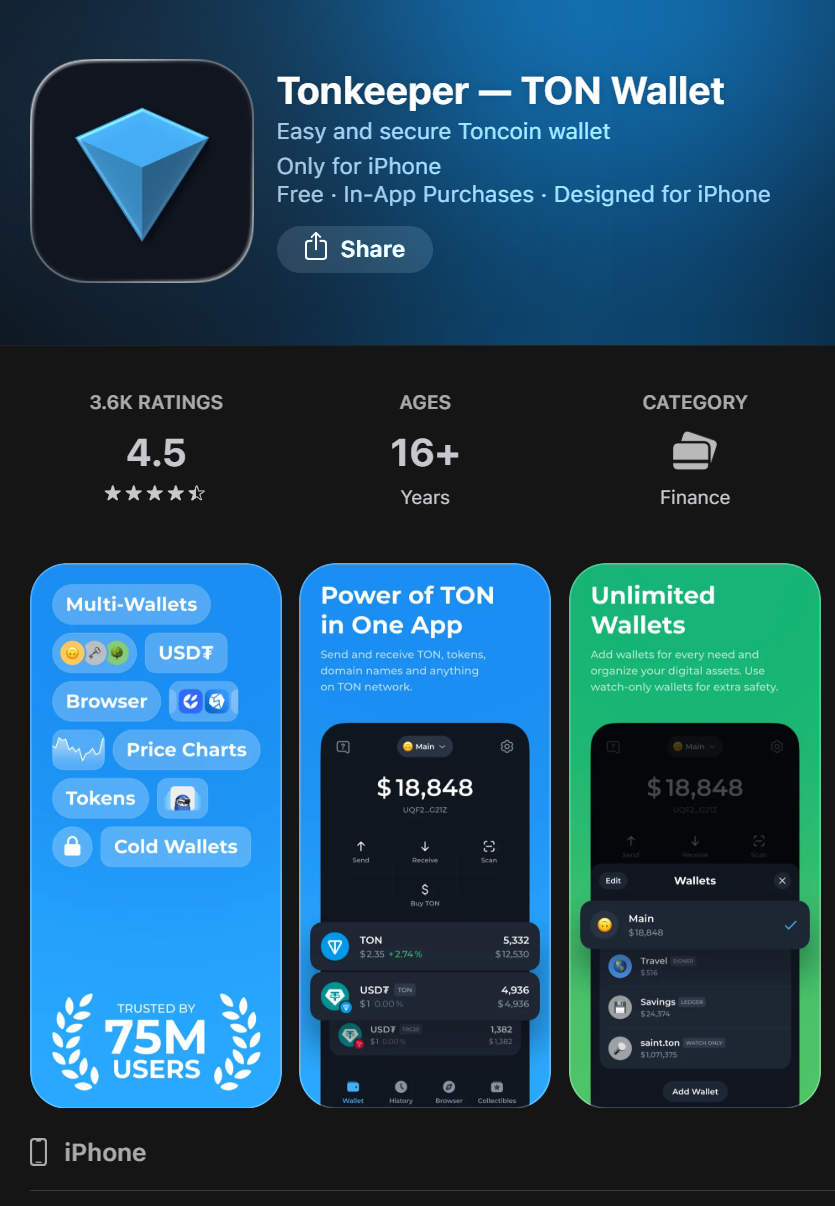
If you need more than what Telegram's built-in wallets offer, Tonkeeper is likely where you will end up. With over 30 million monthly active users, it is the most popular standalone TON wallet — and for good reason.
Available on iOS, Android, Chrome, and Firefox, Tonkeeper gives you everything the Telegram wallet does plus a built-in swap, native staking, an NFT viewer, a dApp browser, and multi-account management. The Tonkeeper Pro tier (69.9 TON/year) adds batch transactions (send up to 255 transfers at once using CSV templates) and multisig support for teams or DAOs.
But what really sets Tonkeeper apart is Battery — a prepaid fee system based on the W5 wallet smart contract standard. Instead of holding Toncoin just to pay gas fees, you pre-load Battery charges (via bank card, USDT, or other crypto), and Tonkeeper covers the network fees for you. One charge equals one simple TON transfer; token or NFT transactions cost 5-10 charges. For USDT specifically, Tonkeeper offers fully gasless transactions — the fee gets deducted from the tokens you are sending, so you never need to buy Toncoin at all.
After testing all the major TON wallets extensively, Tonkeeper feels the most polished for daily DeFi use. The swap interface is clean, staking is one-tap, and Battery genuinely removes the friction of keeping a TON balance just for gas.
MyTonWallet: Open-Source TON Wallet
MyTonWallet has grown to over 9 million users (according to the developers) and takes a fundamentally different approach from Tonkeeper: the entire codebase is open-source on GitHub and has been audited by CertiK, receiving an AA tier rating with zero critical vulnerabilities found. If you care about verifying the code that handles your money — and you should — this is the wallet that lets you actually do it.
Available on macOS, Windows, Linux, iOS, Android, and as browser extensions for Chrome, Firefox, and Edge, MyTonWallet covers more platforms than any other TON wallet. Core features match what you would expect: a built-in swap aggregator powered by DeDust Router v2 with smart multi-path routing (0.875% fee), native staking for TON (roughly 4-6% APY), full NFT and Telegram Gifts management, TON DNS domain support with batch renewal, and multi-account handling. The swap is genuinely good — it routes through multiple pools to find the best rate, and direct swaps skip intermediate tokens entirely. MyTonWallet also supports multi-chain beyond TON: TRON is live now, with Solana and Ethereum on the roadmap. Multi-send lets you batch up to 255 transfers at once, including CSV upload via a dedicated page — a feature Tonkeeper locks behind its paid Pro tier.
What really sets MyTonWallet apart is a cluster of features you cannot get elsewhere. The @push feature lets you send TON to any Telegram user through a bot — the recipient does not even need a wallet to receive it, and claiming is gasless. Ledger hardware wallet support covers Nano S, S Plus, and X, and MyTonWallet was the first TON wallet to support mobile Ledger connectivity via Bluetooth on the Nano X. The gasless payments system (based on the W5 contract) kicks in when your balance drops below 0.3 TON — fees get deducted from the tokens you are sending, supporting up to 255 simultaneous transactions. And there are two versions of the mobile app: Classic and Air, where Air is a native rebuild that the developers claim runs about 40% faster.
My honest take after testing both wallets extensively: MyTonWallet beats Tonkeeper on transparency (open-source, audited), platform coverage (desktop apps, three browser extensions), batch transfers without a subscription, and Ledger integration. Where it falls short is polish — the UI is functional but less refined than Tonkeeper's, and the ecosystem integrations (dApp browser, partner services) are not as deep. If you prioritize knowing exactly what code is running on your device and want desktop-native apps with hardware wallet support, MyTonWallet is the better choice. If you want the slickest DeFi experience with Battery and a broader dApp ecosystem, Tonkeeper still has the edge.
Quick comparison table
| Feature | @Wallet (Crypto) | TON Wallet (Self-Custodial) | Tonkeeper | MyTonWallet |
|---|---|---|---|---|
| Custody type | Custodial | Self-custodial | Self-custodial | Self-custodial |
| Users | 150M+ (total) | Part of 150M+ | 30M+ | 9M+ |
| Platform | Telegram built-in | Telegram built-in | iOS, Android, Chrome, Firefox | macOS, Windows, Linux, iOS, Android, Chrome, Firefox, Edge |
| Seed phrase | No | Yes (24 words) | Yes (24 words) | Yes (24 words) |
| DApp support | Limited | TON Connect | Full (browser + TON Connect) | Full |
| Gasless/Battery | No | No | Yes (Battery) | Yes (gasless + Ledger) |
| Cross-chain deposits | Yes (Feb 2026) | Yes (Feb 2026) | Via DEXs | No |
| P2P marketplace | Yes | No | No | No |
| Built-in swap | Yes | Via mini apps | Yes | Yes |
| Staking | Yes | Via mini apps | Yes (native) | Yes |
| Best for | Beginners | Telegram users wanting self-custody | Power users / DeFi | Privacy-focused users / open-source advocates |
For a curated directory of wallet-focused Telegram channels, browse our wallet channel catalog.
How to Create a Wallet in Telegram: @Wallet Setup
Setting up the custodial wallet takes about 30 seconds. Seriously.
Step 1: Open @Wallet bot in Telegram
Open Telegram and search for @Wallet in the search bar. Tap on the official Wallet bot (look for the verified checkmark). Alternatively, you might already see a wallet icon in your Telegram menu — tap that.
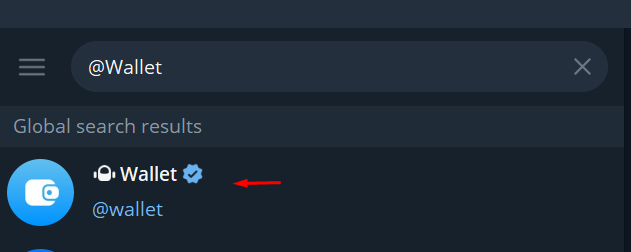
Step 2: Create your account
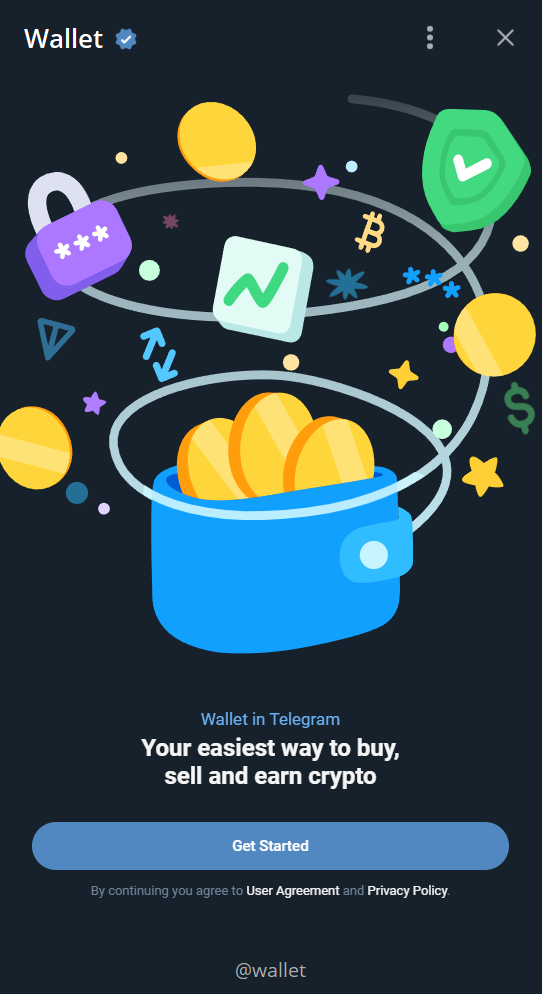
Tap Start or Open Wallet. That is it. Your Telegram account is your wallet account. No email, no password, no KYC for basic operations. You will see a dashboard showing your balance (currently zero) and options to buy, sell, send, and receive.
Step 3: Add funds
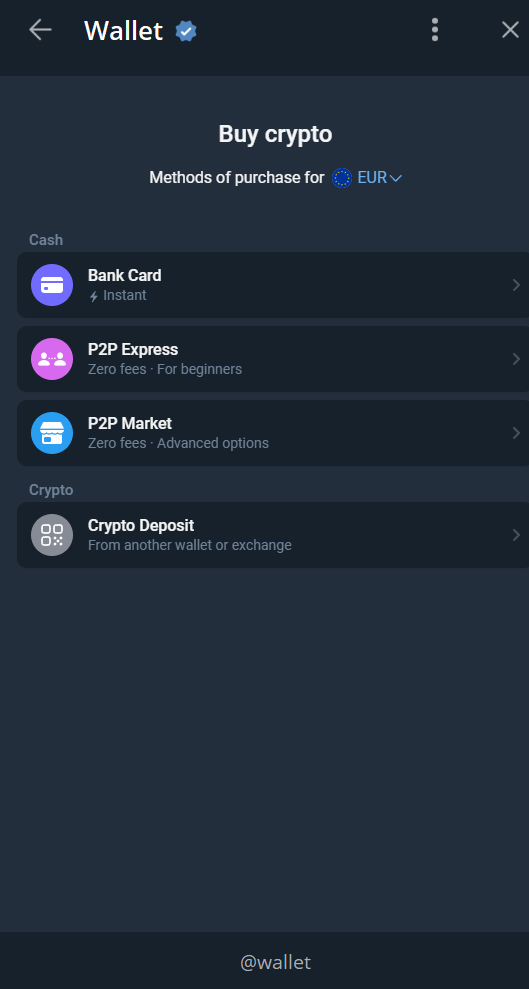
You have several options:
- Bank card — Tap "Buy" and follow the card payment flow. USDT purchases advertise zero fees.
- P2P marketplace — Trade directly with other users at market rates.
- Receive from another user — Share your wallet address or simply have a Telegram contact send to you directly.
- Cross-chain deposit — Send crypto from other blockchains (more on this in the cross-chain section below).
Step 4: Send and receive crypto
To send, tap Send, choose a Telegram contact or paste a wallet address, enter the amount, and confirm. Transfers between Wallet in Telegram users are instant and free. On-chain transfers cost standard TON network fees (fractions of a cent).
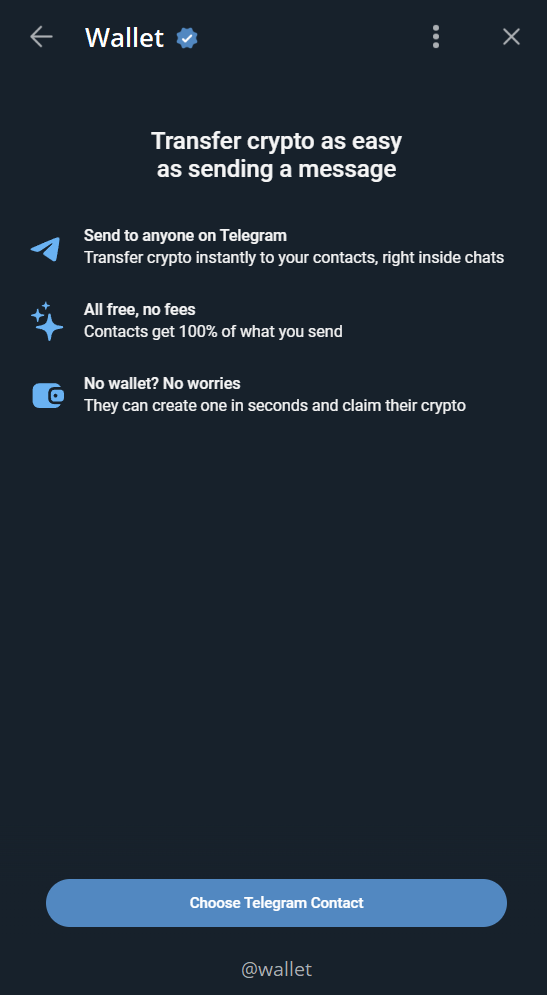
That is the entire setup. If you want more control over your funds, the next section covers upgrading to self-custody without leaving Telegram.
How to Set Up TON Wallet (Self-Custodial) in Telegram
WARNING: Your seed phrase is the only way to recover your wallet. If you lose it, your funds are permanently unrecoverable. No one — including Telegram, wallet developers, or our team — can help you recover it.
This is where things get a bit more involved, but it is still straightforward if you follow each step carefully.
Step 1: Open @Wallet and navigate to TON Wallet
Open the @Wallet bot you set up in the previous section. Look for the TON Wallet option (it might appear as a tab, a button, or a menu item depending on your Telegram version and platform). Tap it to begin self-custodial wallet creation.
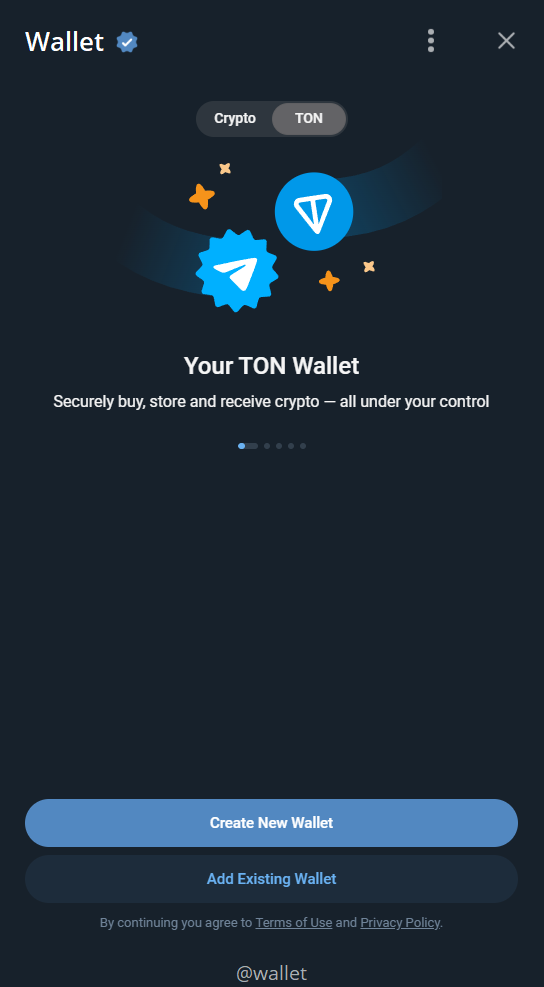
Step 2: Create your wallet and secure your seed phrase
You will be presented with a 24-word seed phrase. This is the most important moment.
Do this right now:
- Get a piece of paper and a pen. Not your phone. Not a notes app. Paper.
- Write down all 24 words in the exact order shown.
- Double-check every word. A single wrong letter means the phrase will not work.
- Store this paper somewhere secure — a fireproof safe, a bank deposit box, anywhere that is not connected to the internet.
Do NOT:
- Take a screenshot
- Copy it to your clipboard
- Save it in Telegram Saved Messages, iCloud Notes, Google Drive, or anywhere digital
- Share it with anyone, ever, for any reason
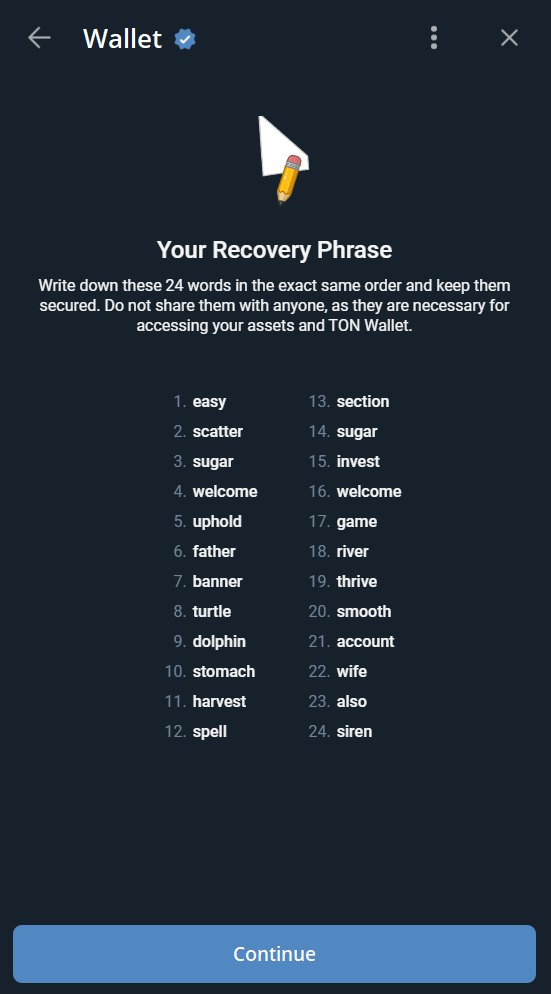
Step 3: Verify your seed phrase
The app will ask you to confirm specific words from your phrase (e.g., "Enter word #4, #11, and #19"). This verifies you actually wrote them down. Enter them correctly to proceed.
Step 4: Enable passcode and biometrics
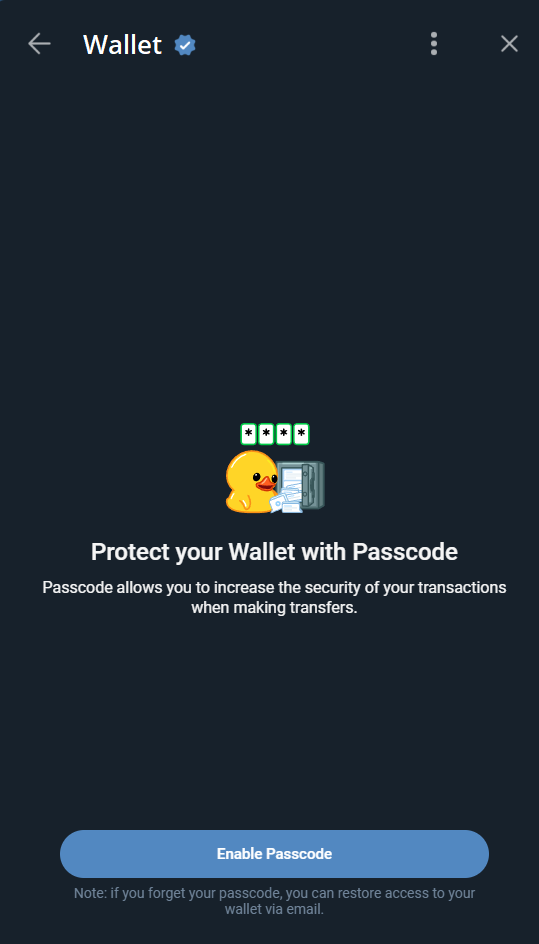
Set up a wallet-level passcode and enable biometric authentication (Face ID or fingerprint). This adds a security layer so that even if someone gets into your Telegram account, they still cannot access your TON Wallet without your biometrics or PIN.
Step 5: Fund Your Wallet via Cross-Chain Deposit (2026)
This is brand-new as of February 11, 2026. If you already hold crypto on other blockchains, you can deposit directly into your TON Wallet without using an exchange:
- In TON Wallet, select Deposit or Cross-Chain Deposit
- Choose the token type: Stablecoins (USDC/USDT) or Other Crypto (BTC, ETH, SOL)
- Select the originating blockchain (Ethereum, Solana, TRON, BSC, Polygon, Arbitrum, or Base)
- Copy the auto-generated deposit address or scan the QR code
- Send from your external wallet or exchange to that address
- Wait for confirmation — stablecoins arrive as USDT on TON at a 1:1 rate; BTC/ETH/SOL are converted to Toncoin
Cross-chain deposits involve third-party services (MoonPay). Verify all transaction details before confirming. We are not responsible for losses due to incorrect addresses or network selection.
Step 6: Connect to TON dApps
With your self-custodial wallet funded, you can now interact with TON ecosystem dApps via TON Connect. Open any TON mini app or dApp, look for "Connect Wallet," and select TON Wallet. Your wallet will prompt you to approve the connection.
This is where things like DeFi (STON.fi, DeDust), NFT marketplaces, and other ecosystem apps become accessible — all from within Telegram.
How to Set Up Tonkeeper
If you want a standalone wallet with more features than what Telegram offers natively, Tonkeeper is the way to go.
Step 1: Download Tonkeeper
Get it from the official sources only:
- iOS: App Store
- Android: Google Play
- Browser: Chrome Web Store or Firefox Add-ons — search for "Tonkeeper"
Always verify the developer name and check that the download count matches expectations (millions of downloads). Never install from links sent in Telegram messages or random websites.
Step 2: Create wallet and save seed phrase
Open Tonkeeper and tap Create New Wallet. You will get the same 24-word seed phrase process as TON Wallet. Same rules apply — paper, pen, secure storage, no screenshots. Tonkeeper does not store your seed phrase; it generates it locally on your device.
Step 3: Fund your wallet
You have multiple options in Tonkeeper:
- Bank card — Built-in fiat on-ramp via partner services
- Receive TON — Copy your wallet address and send from an exchange or another wallet
- Swap — If you already have Jettons (TON-based tokens), use the built-in swap to convert
Your TON address in Tonkeeper works exactly like any other TON address. You can send funds to it from @Wallet, TON Wallet, exchanges, or any other TON wallet.
Step 4: Explore built-in features
Once funded, explore what makes Tonkeeper worth using:
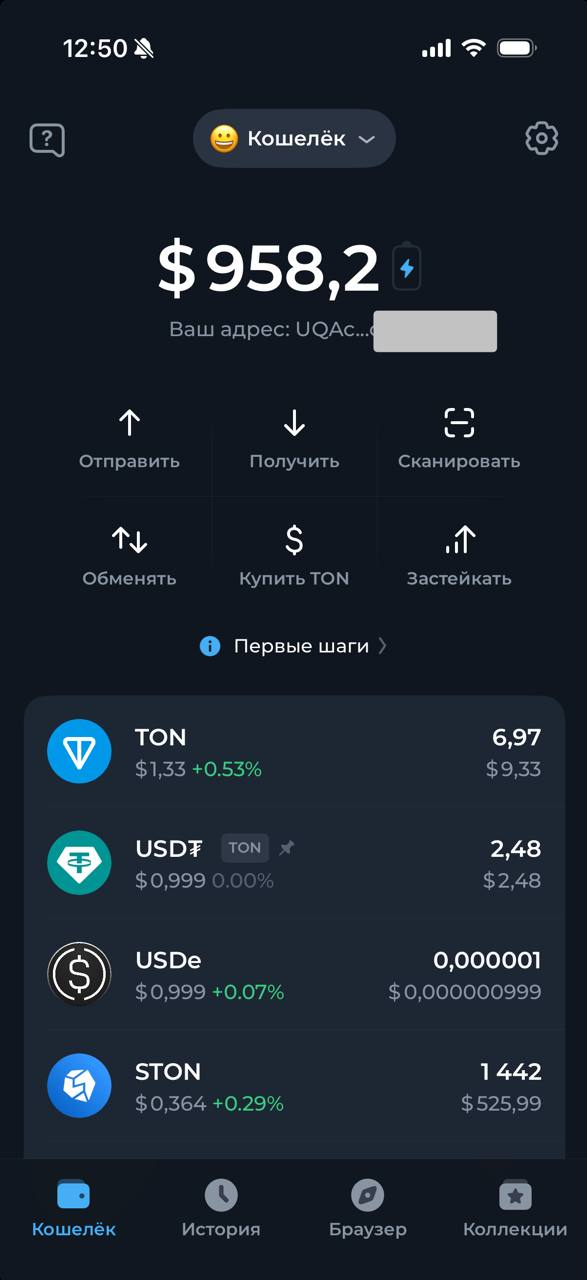
- Swap: Exchange TON for Jettons (and back) directly in the app via DeDust and STON.fi
- Staking: Stake TON in one tap to earn yield. Check our staking guide for details on choosing validators.
- NFTs: View, send, and manage your TON NFT collection
- dApp Browser: Access any TON dApp without leaving Tonkeeper
- Battery: Tap the battery icon to set up gasless transactions — you can pay for charges with a bank card or USDT
How to Set Up MyTonWallet
If open-source and desktop support matter to you, MyTonWallet is the wallet to set up. Here is how.
Step 1: Download from official sources
Get MyTonWallet from the official channels only:
- iOS: App Store
- Android: Google Play
- macOS / Windows / Linux: Download the desktop app from mytonwallet.io
- Chrome: Chrome Web Store
- Firefox: Firefox Add-ons
- Edge: Edge Add-ons
As with any wallet, verify the developer name and never install from links sent in Telegram messages or third-party sites. If you own a Ledger hardware wallet (Nano S, S Plus, or X), you can connect it during setup instead of generating a software seed phrase.
Step 2: Create your wallet and save the seed phrase
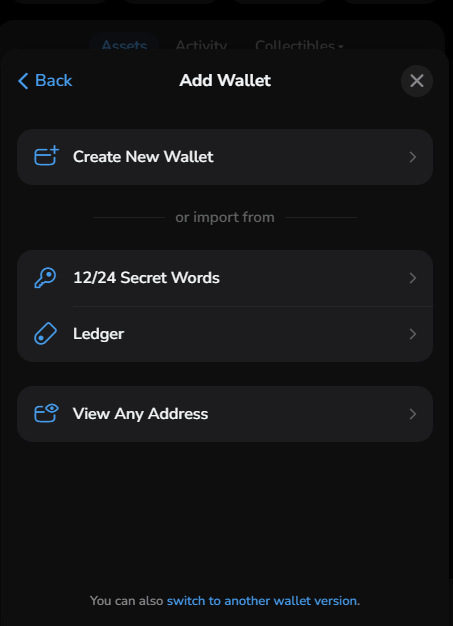
Open MyTonWallet and tap Create New Wallet. You will get the standard 24-word seed phrase. The same rules from the TON Wallet section apply — paper, pen, secure storage, no digital copies. MyTonWallet generates the phrase locally on your device and does not transmit it anywhere.
If you are using a Ledger device, select Connect Ledger instead. Your private keys stay on the hardware device and never touch your phone or computer — this is the most secure option if you are holding significant amounts.
Step 3: Fund your wallet
Several ways to get funds into MyTonWallet:
- Fiat on-ramp — Buy TON directly with a bank card via MoonPay or Avanchange, built right into the wallet. MoonPay also supports selling TON back to your bank card.
- Receive TON — Copy your wallet address and send from an exchange, @Wallet, Tonkeeper, or any other TON wallet. The address works the same as any TON address.
- Swap — If you already hold Jettons (TON-based tokens), use the built-in swap aggregator to convert them. The DeDust Router v2 backend finds the best rate across multiple pools automatically.
Your MyTonWallet TON address is fully interoperable with the entire TON ecosystem. Funds sent from any TON wallet or exchange will arrive without issues.
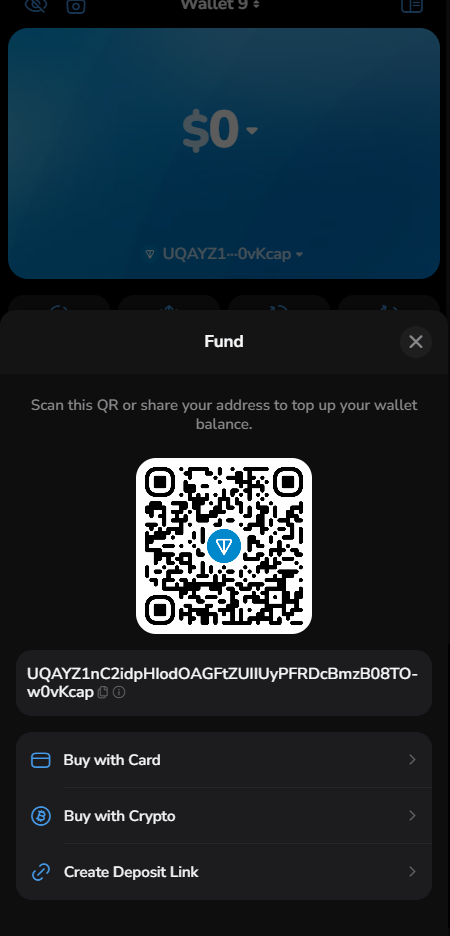
Step 4: Explore features
Once funded, here is what makes MyTonWallet worth exploring:
- Swap aggregator: Exchange TON for any Jetton with smart routing that skips unnecessary intermediate tokens. The 0.875% fee is competitive with standalone DEX interfaces.
- Staking: Stake TON directly for roughly 4-6% APY, plus staking options for MY token and USDe (Ethena). Check our staking guide for details.
- NFTs and Telegram Gifts: Full management — view, send, buy, and sell through Fragment and Getgems integration.
- Multi-send: Send up to 255 transfers in a single batch. Upload recipients via CSV at multisend.mytonwallet.io — useful for payroll, airdrops, or distributions.
- @push transfers: Send TON to any Telegram user via the @push bot. The recipient does not need a wallet — they claim funds gaslessly through the bot. Great for onboarding friends who are not yet in crypto.
- Widgets: Add balance widgets to your iOS Home Screen and Lock Screen, or Android home screen for at-a-glance monitoring.
- TON DNS: Manage .ton domains, including batch renewal for multiple names.
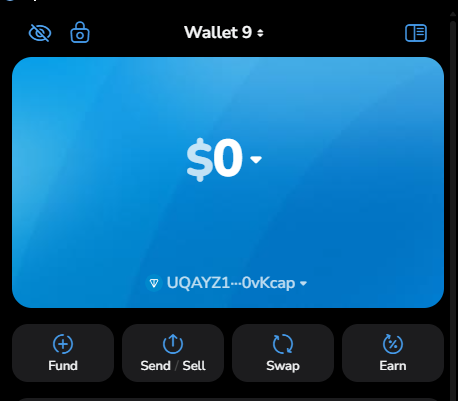
Cross-Chain Deposits: Bringing Your Crypto to TON
This feature, launched on February 11, 2026, is probably the single biggest quality-of-life improvement for existing crypto users looking to enter the TON ecosystem. Before this, getting USDT or ETH onto TON required going through a centralized exchange, withdrawing to the TON network (if the exchange even supported it), and paying withdrawal fees. Now you can skip all of that.
How cross-chain deposits work
The system is powered by MoonPay (30 million customers across 180 countries) and is available in the self-custodial TON Wallet inside @Wallet. Here is the flow:
For stablecoins (USDC/USDT):
- Choose "Stablecoins" as your deposit type
- Select source chain: Ethereum, Solana, TRON, BSC, Polygon, Arbitrum, or Base
- Get your unique deposit address
- Send USDC or USDT from any wallet or exchange on that chain
- Funds arrive as USDT on TON at a 1:1 rate
For other crypto (BTC, ETH, SOL):
- Choose "Crypto" as your deposit type
- Select the asset and source chain
- Get your unique deposit address
- Send from your external wallet
- Funds arrive as Toncoin (auto-converted)
Why this matters
Before February 2026, if you had $500 in USDC on Ethereum and wanted to use it on TON, you would need to: send USDC to a CEX (gas fee ~$2-10), sell USDC, buy TON, withdraw TON to your wallet (another fee). Four steps, multiple fees, 10-30 minutes. Now it is one step: send USDC to your deposit address, done.
Cross-chain withdrawals (TON to other chains) are announced but no release date has been confirmed yet, so this will eventually work both ways.
USDT on TON: Sending Stablecoins via Telegram
Forget the price volatility of Toncoin for a second. The real everyday use case for most people is USDT — a stablecoin pegged to the US dollar. And USDT on TON is, frankly, the best way to send dollars over the internet right now. Here is why.
The fee difference is staggering
| Network | USDT Transfer Fee | Confirmation Time |
|---|---|---|
| TON | ~$0.03 (0.02 TON, first tx; subsequent ~$0.02) | ~5 seconds |
| TRON | ~$1.50-4.00 (varies with energy) | ~3 seconds |
| Ethereum | $0.50-10+ (varies with gas) | 15-60 seconds |
| Solana | ~$0.01 | ~0.4 seconds |
TON is not the absolute cheapest (Solana edges it out on fees), but when you factor in Telegram integration — sending USDT to any of your 1 billion+ potential contacts directly in the messenger — nothing else comes close.
Between Wallet in Telegram users, USDT transfers are completely free. Zero network fees. Send $10 or $10,000 to a Telegram contact and not a single cent gets lost to fees. That is unique.
How to get USDT on TON
- Buy directly in @Wallet — Tap "Buy," select USDT, pay with your bank card. Advertised zero fees on USDT purchases.
- Cross-chain deposit — Send USDC or USDT from Ethereum, Solana, TRON, BSC, Polygon, Arbitrum, or Base. Arrives as USDT on TON at 1:1.
- Swap via Tonkeeper or DEX — Swap TON for USDT on STON.fi ($6.8 billion total trading volume) or DeDust. Explore DeFi channels in our catalog for the latest protocol updates.
- CEX withdrawal — Exchanges like Bybit, OKX, and KuCoin support TON network withdrawals. Select "TON" as the withdrawal network when sending USDT.
- Receive from another user — Any Wallet in Telegram user can send you USDT for free.
For more on swapping and DeFi options, see our guide to TON DeFi protocols.
Wallet Security: Protecting Your TON Assets
This section covers financial security. The information below has been verified against official documentation from Tonkeeper, Wallet in Telegram, and established security researchers. However, security practices evolve — always check official sources for the latest recommendations.
Let me be direct: most crypto losses are not caused by hackers cracking sophisticated encryption. They are caused by people making avoidable mistakes. Here are the ones that matter.
Seed phrase best practices
Your 24-word seed phrase is everything. It is the master key to your entire wallet. Here is what protecting it actually looks like in practice:
The basics:
- Write it on paper, in order, legibly. Test that you can read your own handwriting.
- Store the paper in a fireproof location. A home safe or bank deposit box works. For larger amounts, consider titanium seed phrase plates (like Cryptosteel Capsule) that survive fire and water damage.
- Keep copies in two separate physical locations. If your house burns down and your only copy is in the desk drawer, your funds burn with it.
- Test recovery before you store significant funds. Create the wallet, write the seed phrase, delete the app, reinstall, and recover using the seed phrase. Verify it works.
What to never do:
- Never save your seed phrase digitally. Not in a password manager, not in iCloud Notes, not in Google Drive, not in Telegram Saved Messages, not as a phone screenshot. If it touches the internet, it can be stolen.
- Never share it. No legitimate service, support agent, admin, or developer will ever ask for your seed phrase. If someone asks, they are trying to steal your funds. Full stop.
- Never enter it on a website. Real wallet recovery happens inside the wallet app, not on a webpage.
Enabling 2FA and biometrics
Even with a secure seed phrase, you need to protect access to your wallet apps:
Telegram account security (protects @Wallet access):
- Enable Telegram's 2-Step Verification: Settings -> Privacy and Security -> Two-Step Verification
- Set a strong password (not related to your seed phrase)
- Add a recovery email
- Avoid SMS-based 2FA when possible — SIM-swap attacks remain a real threat in 2025-2026
Wallet-level security:
- Enable passcode on your wallet app (Tonkeeper, MyTonWallet, @Wallet)
- Enable biometric authentication (fingerprint / Face ID)
- Set auto-lock to the shortest interval you find practical
For added security, consider using a dedicated authenticator app (Aegis is open-source and recommended) instead of SMS codes for any account connected to your crypto.
Common scams and how to avoid them
Telegram is an incredible platform, but it is also where scammers are most active. Here are the specific schemes targeting TON wallet users right now:
Fake wallet bots: Scammers create bots named "Telegram Wallet" or "Support Bot," then transfer ownership to your account without your consent. They then report your account to Telegram support, potentially getting it deleted. Only interact with the official @Wallet bot (verified checkmark).
Toncoin booster pyramid scheme: Documented by Kaspersky — victims are told to buy 5 to 500 TON through an unofficial bot with "booster" tiers called Bike, Car, Train, Plane, and Rocket. They must recruit 5+ friends. It is a classic pyramid, and all the money goes to the scammers.
Fake KYC verification: Bots claim you need to complete "KYC verification" for a new token or airdrop. The "verification" requires depositing crypto that goes straight to attackers.
Wallet drainers: You click a link to "mint an NFT" or "claim an airdrop," connect your wallet, and a malicious smart contract drains everything. Never connect your wallet to a dApp you do not trust. Check the URL carefully — scammers use domains that look nearly identical to legitimate ones.
AI deepfake scams: Scammers now use AI-generated video of known crypto figures promoting fake projects. Just because you see a familiar face does not mean it is real.
For a comprehensive breakdown, read our guide to common crypto scams in Telegram. Follow crypto news channels for the latest security alerts.
Advanced Tips: Getting the Most from Your TON Wallet
Tonkeeper Battery: never worry about gas again
If you are using Tonkeeper, Battery is the feature that makes daily transactions painless. Instead of always making sure you have enough TON to cover gas, you pre-load Battery charges:
- 1 charge = 1 simple TON transfer
- 5-10 charges = 1 token or NFT transaction
- Charges can be purchased with a bank card, USDT, Notcoin, or other crypto
For USDT transfers specifically, Tonkeeper offers fully gasless sending — the fee is deducted from the USDT itself, so you literally never need to hold Toncoin if all you do is send stablecoins.
TON Connect: your wallet as a universal login
TON Connect is an open-source protocol that lets your wallet authenticate with any TON dApp. Think of it as "Sign in with Google" but for TON — except instead of giving Google your data, your wallet proves your identity cryptographically without exposing your private keys.
Supported by Tonkeeper, MyTonWallet, Tonhub, and TON Wallet, TON Connect is how you access DeFi protocols, NFT marketplaces, and mini apps across the ecosystem. Once connected, you can approve transactions directly from your wallet.
When to use custodial vs self-custodial
Here is a practical framework after having tested both extensively:
| Use case | Recommended wallet |
|---|---|
| First time trying crypto, under $50 | @Wallet (custodial) |
| Sending USDT to Telegram contacts regularly | @Wallet (custodial) — zero-fee internal transfers |
| Holding more than you would be comfortable losing | TON Wallet or Tonkeeper (self-custodial) |
| DeFi (swaps, liquidity, staking) | Tonkeeper |
| dApp interaction and TON ecosystem exploration | TON Wallet or Tonkeeper |
| Maximum transparency, auditability, or hardware wallet security | MyTonWallet (open-source + Ledger) |
| Batch payments (payroll, distributions) | Tonkeeper Pro (255 txns at once) |
Many experienced users run both: @Wallet for quick small transfers and a self-custodial wallet for everything else. There is no rule saying you have to pick just one.
What to do next
Your wallet is set up. Now what?
- Learn how to stake TON and earn passive income — put your idle TON to work
- Discover TON airdrop opportunities — your wallet is now eligible for airdrops from TON ecosystem projects
- Explore TON DeFi protocols — swap, provide liquidity, and earn yield
Browse all wallet channels in our catalog | Explore TON ecosystem channels
FAQ
Is @Wallet in Telegram safe?
It depends on what you mean by "safe." The custodial Crypto Wallet uses Telegram's encryption and offers passcode and biometric protection. For everyday small transactions, it is reasonably secure. However, since the operator holds your private keys, you are trusting them with your funds. For larger amounts, use the self-custodial TON Wallet or an external wallet like Tonkeeper where you control the keys.
Can I use a TON wallet without Telegram?
Yes. Tonkeeper, MyTonWallet, and Tonhub all work independently of Telegram. You do not need a Telegram account to create a wallet, hold Toncoin, or interact with TON dApps. However, you will miss out on Telegram-specific features like zero-fee transfers between users and the P2P marketplace.
What happens if I lose my seed phrase?
Your funds are permanently lost. There is no "reset password" button, no customer support that can help, no recovery process. This is the trade-off of self-custody: complete control means complete responsibility. Write your seed phrase on paper, store it securely in multiple locations, and test recovery before depositing significant funds.
How much does it cost to send TON?
A simple TON transfer costs approximately 0.0055 TON ($0.008 at current prices). A Jetton (token) transfer costs around 0.037 TON ($0.054). USDT transfers between Wallet in Telegram users are completely free. These are among the lowest transaction fees in all of crypto.
Can I store Bitcoin in a TON wallet?
In the custodial @Wallet, yes — it supports BTC directly. In self-custodial TON wallets (TON Wallet, Tonkeeper, MyTonWallet), no — these wallets operate on the TON blockchain and cannot hold native Bitcoin. However, as of February 2026, you can deposit BTC via cross-chain deposits in TON Wallet, where it gets automatically converted to Toncoin. STON.fi also now offers cbBTC (Coinbase-issued, 1:1 BTC-backed) for non-custodial Bitcoin exposure on TON.
What is the difference between TON Space and TON Wallet?
They are the same thing. TON Space was renamed to TON Wallet on July 10, 2025. If you see guides referencing "TON Space," they are talking about the self-custodial wallet now called TON Wallet inside @Wallet. The rename was purely a branding change — functionality remained identical.
How do cross-chain deposits work in TON Wallet?
Cross-chain deposits (launched Feb 11, 2026, powered by MoonPay) let you send crypto from other blockchains directly to your TON Wallet. For stablecoins: send USDC or USDT from Ethereum, Solana, TRON, BSC, Polygon, Arbitrum, or Base, and it arrives as USDT on TON at a 1:1 rate. For BTC, ETH, or SOL: they get auto-converted to Toncoin. You receive a unique deposit address for the source chain, send your crypto there, and it lands in your TON Wallet.
Information in this guide is accurate as of February 14, 2026. Wallet features, supported assets, and fees may change. Check official sources (wallet.tg, tonkeeper.com, mytonwallet.io) for the latest information.
Whether you choose the custodial @Wallet or a self-custodial TON wallet in Telegram, setting up takes minutes — keeping it secure is an ongoing practice. The key is matching your wallet choice to your needs and following through on the security basics outlined above.